
You can cancel pre-approved, automatic payments, or a subscription in your PayPal account.
1. Log in to your PayPal account.
2. Click on the settings icon.

3. Go to the Payments menu and click on Manage automatic payments.
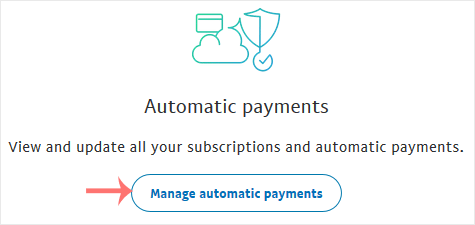
4. Tick-mark Show Active. If there is an active subscription, it will be displayed. In the case of many subscriptions, click on See More.

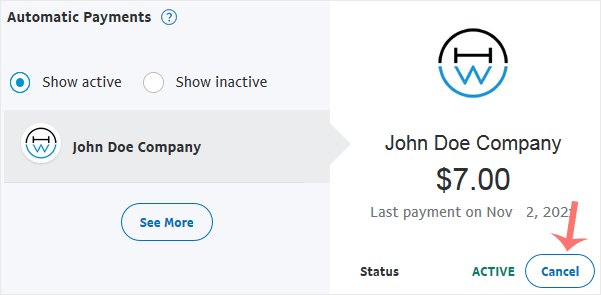
5. Click on the merchant's store name, and it will display full subscription details. Click on Cancel.
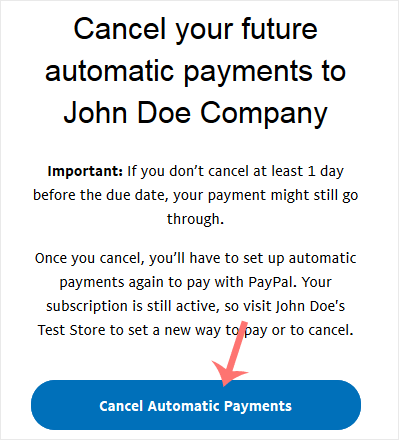
6. Confirmation message will display. Click Cancel Automatic Payments.
İlgili diğer dökümanlar
How to Check Automatic PayPal Subscriptions
You can view the list of automatic PayPal subscriptions you have. 1....
How to Link a Debit or Credit Card to Your PayPal Account
Follow this tutorial to link your Debit or Credit Card to your PayPal...
How to Remove a Debit or Credit Card From PayPal
Follow this tutorial to remove your Debit or Credit Card from your PayPal...
How to Set a Preferred Payment Method in PayPal
With multiple Debit or Credit cards, you can set your proffered payment...
How to Subscribe to an Invoice via PayPal
You can subscribe to an invoice for recurring payments. The subscription...