You can install a new WordPress theme without having any technical knowledge. It is so easy and automated.
1. Log in to the WordPress dashboard.
2. From the Dashboard menu, go to Appearance and click on Themes.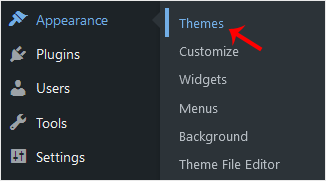
3. Click on Add New.
4. You can search for a theme using the search bar or browse the themes, choosing from Featured, Popular, and Latest.
5. Hover your mouse over the theme you like and choose Install.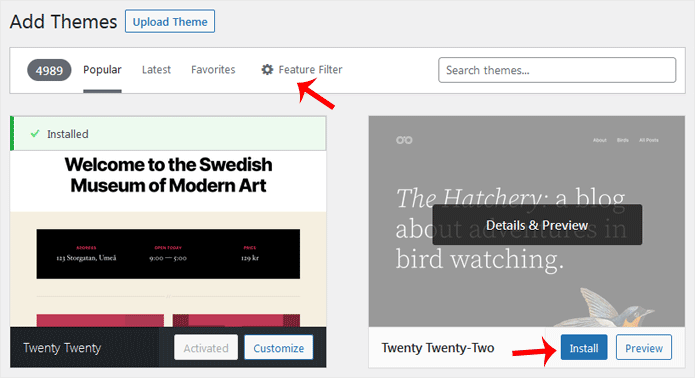
6. Click Activate on the newly installed theme.
Congratulations, you have installed and activated a new theme on your blog.
WordPress is an easy to work with CMS software. To access a WordPress...
You get sample comments and posts in a fresh WordPress install. You can...
Writing your first blog post is a fascinating thing. Follow the steps below...
You can remove the published or draft post in WordPress.1. Log in to the...
It is possible to delete posts in bulk using WordPress. You can also delete...